New to n8n? Start with our step-by-step setup guide, then come back to build this workflow.
Every content team wants better SEO, but running a proper audit on a blog post takes 30 to 60 minutes of manual work: checking keyword density, analyzing meta elements, assessing readability, spotting technical issues, and identifying backlink opportunities. Multiply that by 10 posts a week and it becomes a full-time job. This n8n workflow fixes that. Send a URL, get a complete GPT-4 SEO analysis in seconds, all with built-in ethical scraping compliance.
In this guide you’ll build the workflow from scratch, understand each node, and learn how to hook the output into Slack, Google Sheets, or any dashboard you already use.
💡 Prefer to skip the build? Grab the ready-made template → and be running in under 10 minutes.
What You’ll Build
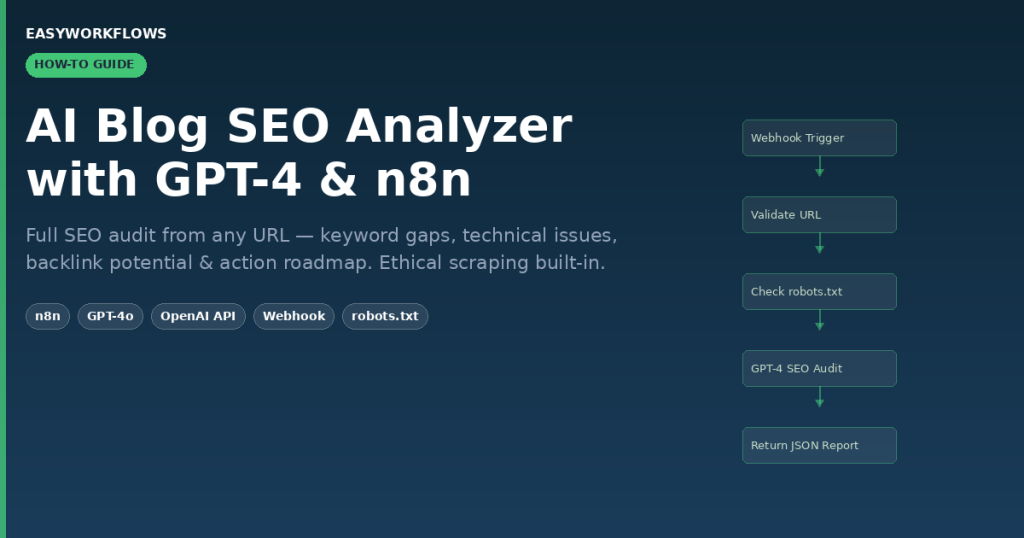
- POST a blog URL to an n8n webhook from any app or script
- n8n validates the URL and checks the site’s
robots.txtfor scraping permission - The blog’s HTML is fetched, converted to clean markdown, and fed to GPT-4o
- GPT-4 returns a structured JSON report with scores across four SEO dimensions
- The report comes back in the HTTP response, ready for dashboards, Sheets, or Slack
How It Works: The Big Picture
│ AI BLOG SEO ANALYZER │
│ │
│ [POST /webhook] → [Extract URL] → [Validate URL] │
│ ↓ │
│ [Check robots.txt] │
│ ↓ │
│ [Parse robots.txt Rules] │
│ ↓ │
│ [Scraping Allowed?] │
│ ↓ YES ↓ NO │
│ [Scrape Blog] [Return 403 Error] │
│ ↓ │
│ [Convert HTML → Markdown] │
│ ↓ │
│ [SEO Analysis (GPT-4o)] │
│ ↓ │
│ [Format Report] → [Return JSON Response] │
└────────────────────────────────────────────────────────────────────┘
What You’ll Need
- n8n: self-hosted (free) or n8n Cloud
- OpenAI API key: GPT-4o access required (~$0.01 to $0.05 per audit depending on post length)
- A webhook client: Postman, curl, or any HTTP tool
- Build time: ~45 minutes from scratch
- With the template: under 10 minutes (add API key + activate)
Step 1: Webhook Trigger
Node: Webhook Trigger n8n-nodes-base.webhook
This is the entry point. It listens for POST requests and passes the payload to the rest of the workflow.
Configure it:
- Set HTTP Method to
POST - Set Response Mode to
Using Respond to Webhook Node - Copy the generated webhook URL, you’ll POST to this from your client
- Enable Allow all origins under Options if testing from a browser tool
Once activated, clients call it like this:
curl -X POST https://your-n8n.com/webhook/YOUR_WEBHOOK_ID \
  -H "Content-Type: application/json" \
-d '{ "blogUrl": "https://techcrunch.com/2026/03/15/ai-startup-funding" }'blogUrl, message, or url as the key, whichever you send, it’ll find the URL. Easy to connect from Telegram bots, Slack slash commands, or form submissions.Step 2: Extract Blog URL
Node: Extract Blog URL n8n-nodes-base.set
Normalizes the incoming payload so downstream nodes always find body.url regardless of which key the caller used.
Configure it (Manual mode):
- Add one assignment: Name =
body, Type = Object - Value =
={{ { url: $json.body.blogUrl || $json.body.message || $json.body.url } }}
Step 3: Validate URL Input
Node: Validate URL Input n8n-nodes-base.code
Validates the URL format, ensures a value was provided, and sets default CSS selectors for content extraction. If the URL is invalid, the workflow throws an error here before wasting an API call.
// Output after validation:
{
  "url": "https://techcrunch.com/2026/03/15/ai-startup-funding",
  "userPrompt": "Provide a comprehensive SEO analysis with actionable recommendations.",
  "selectors": {
    "title": "title, h1",
    "content": "p, .content, article",
    "links": "a[href]",
    "images": "img[src]"
  },
  "timestamp": "2026-04-10T09:15:00.000Z"
}Step 4: Check robots.txt (Ethical Scraping)
Node: Check robots.txt n8n-nodes-base.httpRequest
Fetches https://domain.com/robots.txt before touching any content. This is the ethical compliance gate.
Configure it:
- Method: GET
- URL:
={{ $json.url.split('/').slice(0, 3).join('/') }}/robots.txt - Set timeout to 10,000 ms and max redirects to 3
Step 5: Parse Robots.txt Rules
Node: Parse Robots.txt Rules n8n-nodes-base.code
Reads the robots.txt response and checks whether the target URL path is disallowed. If scraping is blocked, it sets scrapingAllowed: false.
// If scraping is permitted, output looks like:
{
  "url": "https://techcrunch.com/2026/03/15/ai-startup-funding",
  "robotsInfo": "robots.txt found and analyzed",
  "scrapingAllowed": true,
  "timestamp": "2026-04-10T09:15:00.123Z"
}/wp-admin/ and /search/ but allow /blog/ and /articles/. Regular blog posts are almost always permitted.Step 6: Scraping Allowed? (IF Branch)
Node: Scraping Allowed? n8n-nodes-base.if
Routes the workflow: scrapingAllowed = true proceeds to scrape; false returns a 403 error immediately.
Configure it:
- Add condition: Left Value =
={{ $json.scrapingAllowed }} - Operator: Boolean → Is True
- Connect Output 0 (TRUE) → Scrape Blog Content
- Connect Output 1 (FALSE) → Return Scraping Blocked Error
Step 7: Scrape Blog Content
Node: Scrape Blog Content n8n-nodes-base.httpRequest
Fetches the full HTML of the blog post. n8n’s HTTP Request node handles redirects, compressed responses, and most edge cases automatically.
Configure it:
- Method: GET
- URL:
={{ $json.url }} - Set timeout to 30,000 ms and max redirects to 5
{
  "data": "<!DOCTYPE html><html>...</html>",
  "headers": { "content-type": "text/html; charset=utf-8" },
  "statusCode": 200
}
Step 8: Convert HTML to Markdown
Node: Convert HTML to Markdown n8n-nodes-base.markdown
Strips HTML tags and converts content to clean markdown, 40 to 60% fewer tokens than raw HTML, saving significant GPT-4 costs.
Configure it:
- HTML:
={{ $json.data }} - Enable Code Block Style: Fence
- Enable Use Link Reference Definitions
return [{ json: { data: $json.data.substring(0, 24000) } }]Step 9: SEO Analysis with GPT-4o
Node: SEO Analysis (GPT-4) @n8n/n8n-nodes-langchain.openAi
The core of the workflow. Sends the markdown to GPT-4o with a structured prompt covering four SEO dimensions, returns a JSON report.
Configure it:
- Model: GPT-4o
- Temperature: 0.1 (precise, repeatable analysis)
- JSON Output: Enable
- Add your OpenAI credential
- User Message:
={{ $json.data }}
{
  "overallScore": 73,
  "executiveSummary": {
    "strengths": [
      "Strong primary keyword placement in H1 and first paragraph",
      "Good internal linking structure with 8 contextual links"
    ],
    "opportunities": [
      "Meta description missing, critical for CTR",
      "No FAQ schema markup for People Also Ask eligibility"
    ],
    "priorityActions": [
      "Write a 155-character meta description with primary keyword",
      "Add FAQ schema for top 5 questions in the article"
    ]
  },
  "keywordStrategy": {
    "primaryKeywords": ["AI startup funding", "venture capital 2026"],
    "longTailOpportunities": ["how much AI startup funding in 2026"]
  },
  "implementationRoadmap": {
    "quickWins": ["Add meta description", "Fix broken image alt tags"],
    "shortTerm": ["Create FAQ section", "Build 3 internal cluster posts"],
    "longTerm": ["Guest post campaign targeting DA 50+ sites"]
  }
}Step 10: Format Analysis Report
Node: Format Analysis Report n8n-nodes-base.code
Parses the OpenAI response, extracts the JSON, and wraps it with metadata (URL, timestamp) before returning to the caller.
{
  "success": true,
  "url": "https://techcrunch.com/2026/03/15/ai-startup-funding",
  "analyzedAt": "2026-04-10T09:15:44.321Z",
  "overallScore": 73,
  "report": { ... }
}
Connecting the Output to Other Tools
Once running, chain the output of Format Analysis Report into:
- Google Sheets: Append a row per URL with score, quick wins, and keyword gaps, build a running SEO audit log
- Slack: Post scores and priority actions to
#seo-reportschannel every time a post is analyzed - Notion: Create a database record per analysis with scores as structured properties
- Airtable: Track keyword opportunities across your entire content library in one view
The SEO Report Structure
| Field | Type | Example | Description |
|---|---|---|---|
overallScore |
Integer | 73 |
Aggregate SEO score 0 to 100 |
contentOptimization.score |
Integer | 78 |
Content quality and keyword integration |
keywordStrategy.primaryKeywords |
Array | ["AI funding"] |
Top keywords GPT-4 detected in content |
keywordStrategy.longTailOpportunities |
Array | ["best AI startups 2026"] |
Missing keyword angles to target |
technicalSEO.score |
Integer | 65 |
Technical health score |
technicalSEO.issues |
Array | ["No canonical tag"] |
Technical problems found |
backlinkPotential.score |
Integer | 81 |
How link-worthy the content is |
implementationRoadmap.quickWins |
Array | ["Add meta description"] |
High-impact, low-effort fixes |
Scaling This Workflow
The webhook trigger is perfect for on-demand audits. For batch use, replace it with a Schedule Trigger + Google Sheets source to run overnight audits across your entire blog library. Or wire it to an RSS feed node to auto-audit every new post you publish.
For high-volume use (100+ URLs/day), add a Wait node between the HTTP scrape and GPT-4 call. OpenAI’s Tier 1 rate limit on GPT-4o handles roughly 20 to 30 blog audits per minute, more than enough for most teams.
Skip the Build: Get the Ready-Made Template
Includes the complete workflow JSON, a step-by-step Setup Guide, and a Credentials Guide showing exactly where to find your OpenAI API key. Import, configure, and start auditing in under 10 minutes.