New to n8n? Start with our step-by-step setup guide, then come back to build this workflow.
If you sell on eBay and manage more than a handful of orders, shipping logistics can quickly become a bottleneck. Generating quotes, booking shipments, downloading labels. These are repetitive tasks that are perfect for automation. But what if your AI assistant could handle all of this through natural language, without any custom code?
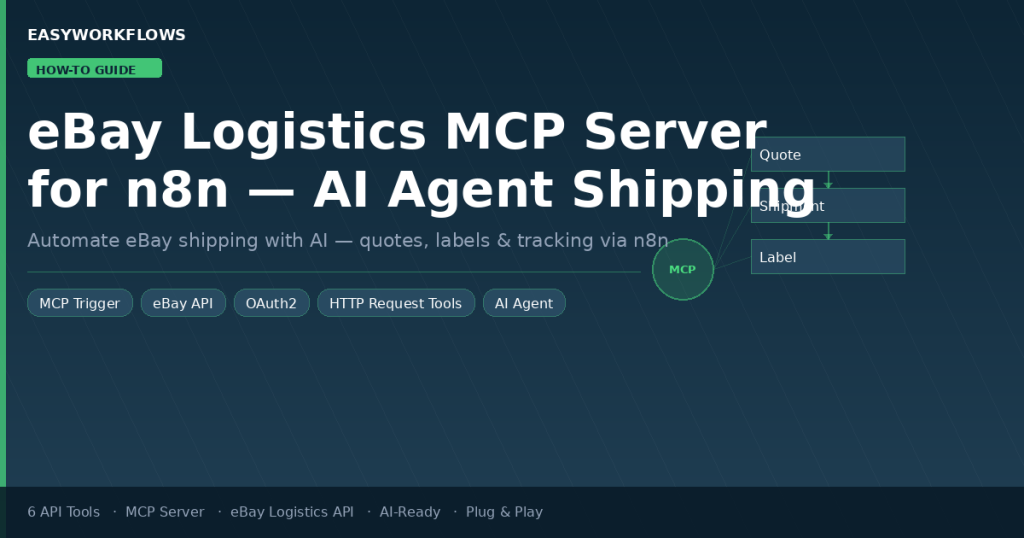
That’s exactly what this n8n workflow does. It creates a Model Context Protocol (MCP) server that connects eBay’s Logistics API to any AI agent. Once activated, you can tell your AI agent to “get me a shipping quote for this order” or “download the label for shipment #12345,” and it handles the API calls automatically.
In this guide, you’ll learn how this workflow is structured, what each tool does, and how to set it up from scratch in under 30 minutes. You can also grab the ready-made template if you’d rather skip straight to setup.
What Is an MCP Server in n8n?
The Model Context Protocol (MCP) is an open standard developed by Anthropic that lets AI models interact with external tools through a standardized interface. Instead of writing custom API glue code for every tool your AI agent needs, you create an MCP server, and the agent discovers and calls your tools automatically.
n8n’s MCP Trigger node turns any n8n workflow into an MCP server. You connect HTTP Request Tool nodes to it, and each tool becomes callable by any MCP-compatible AI agent (Claude, OpenAI Assistants, custom chatbots built with LangChain, etc.).
The workflow in this guide creates a single MCP server with 6 tools covering the full eBay Logistics API lifecycle:
Retrieve Shipping Quote
Create Shipment
Retrieve Shipment
Cancel Shipment
Download Label
What Is the eBay Logistics API?
eBay’s Logistics API (part of the Sell APIs) lets eBay sellers programmatically manage the shipping side of their orders. It handles:
- Shipping quotes: compare carrier rates (USPS, UPS, FedEx, etc.) based on package dimensions, weight, and addresses
- Shipment creation: book a carrier and get a tracking number and label in one API call
- Label management: download printable PDF labels directly from the API
- Shipment tracking: retrieve real-time status updates for active shipments
- Cancellation: void a label before carrier pickup
The API is available to all eBay sellers with a production developer account. It supports US, UK, Germany, France, and Australia marketplaces (set via the X-EBAY-C-MARKETPLACE-ID header in each request).
Workflow Architecture: The 10 Nodes
Here’s what the workflow looks like inside n8n once imported:
🔵 eBay Logistics MCP Server
The MCP Trigger node. Acts as the server entry point. When activated, exposes a webhook URL that AI agents connect to. All 6 tools register themselves here.
💰 Generate Shipping Quote
HTTP Request Tool calling POST /shipment_quote. The AI provides package dimensions, weight, and addresses. Returns carrier options and rates.
🔍 Retrieve Shipping Quote
HTTP Request Tool calling GET /shipment_quote/{id}. Looks up an existing quote by ID, useful to check rates before booking.
📦 Create Shipment from Quote
HTTP Request Tool calling POST /shipment. Books the shipment using a quote ID and rate selection. Returns tracking number and label URL.
📍 Retrieve Shipment Details
HTTP Request Tool calling GET /shipment/{id}. Retrieves full shipment status, carrier info, and tracking number.
❌ Cancel Shipment
HTTP Request Tool calling PUT /shipment/{id}/cancel. Voids a shipment and its label before carrier pickup.
🏷️ Download Shipping Label
HTTP Request Tool calling GET /shipment/{id}/download_label_file. Returns the shipping label as a PDF binary, ready to pipe to email, Google Drive, or a printer.
📋 3 Sticky Notes
Documentation nodes explaining setup instructions, quote tools, and shipment tools. Visible when you open the workflow in n8n, not part of execution.
All 6 HTTP Request Tool nodes connect to the MCP Trigger via ai_tool connections, a special connection type that registers them as tools rather than running them inline.
Step-by-Step Build Guide
Step 1: Understanding the MCP Tool Pattern
Each HTTP Request Tool node in this workflow follows the same pattern. Let’s look at the Generate Shipping Quote tool as an example:
{
  "name": "generate_shipping_quote",
  "description": "Generate a shipping quote for a package. Provide package weight (in grams), dimensions (length/width/height in cm), origin address, and destination address...",
  "url": "https://api.ebay.com/sell/logistics/v1_beta/shipment_quote",
  "method": "POST",
  "jsonBody": "={{ $fromAI('quote_request', 'JSON body with package details...') }}"
}
The $fromAI() expression is the key here. When an AI agent calls this tool, it fills in the quote_request parameter with the actual JSON data. The description is what the AI reads to understand what to provide. Good descriptions = better AI behavior.
Step 2: eBay API Endpoints Used
| Tool | Method | Endpoint |
|---|---|---|
| Generate Shipping Quote | POST | /sell/logistics/v1_beta/shipment_quote |
| Retrieve Shipping Quote | GET | /sell/logistics/v1_beta/shipment_quote/{id} |
| Create Shipment | POST | /sell/logistics/v1_beta/shipment |
| Retrieve Shipment | GET | /sell/logistics/v1_beta/shipment/{id} |
| Cancel Shipment | PUT | /sell/logistics/v1_beta/shipment/{id}/cancel |
| Download Label | GET | /sell/logistics/v1_beta/shipment/{id}/download_label_file |
All endpoints share the same base URL (https://api.ebay.com) and require two headers: Content-Type: application/json for POST/PUT requests and X-EBAY-C-MARKETPLACE-ID: EBAY_US (or your target marketplace).
Step 3: Authentication Flow
The eBay Logistics API uses OAuth2 with the Authorization Code grant. Here’s what you need:
Create eBay Developer App
Go to developer.ebay.com → My Account → Get Application Keys → Create Application. Use Production (not Sandbox) for real shipping.
Set OAuth Redirect URI
Add your n8n callback URL: https://your-n8n-domain/rest/oauth2-credential/callback. This is where eBay sends the authorization code.
Enable sell.logistics Scope
In your app’s OAuth settings, add the scope: https://api.ebay.com/oauth/api_scope/sell.logistics. Without this, all API calls return 403.
Configure n8n OAuth2 Credential
Authorization URL: https://auth.ebay.com/oauth2/authorize | Token URL: https://api.ebay.com/identity/v1/oauth2/token. Paste App ID as Client ID and Cert ID as Client Secret.
Apply to All 6 Tool Nodes
Open each HTTP Request Tool node and select your eBay OAuth2 credential. Each node needs its own credential selection. This is by design for flexibility.
Step 4: Activating the MCP Server
Once credentials are configured, toggle the workflow to Active. The MCP Trigger node will display a webhook URL in this format:
https://your-n8n-domain/mcp/YOUR_WEBHOOK_ID/sseThis URL is your MCP server endpoint. Any MCP-compatible AI agent can connect to it. The agent will automatically discover the 6 available tools and their parameter descriptions.
Step 5: Connecting Your AI Agent
Depending on which AI agent you’re using:
- Claude (via claude.ai desktop): Add an MCP server under Settings → MCP Servers. Paste the endpoint URL. Claude will list the eBay tools in its available tools panel.
- n8n AI Agent node: Add an “MCP Client” tool connection and paste the endpoint URL. Chain this with a Telegram Trigger or any other chat trigger for a conversational interface.
- OpenAI Assistants: Use the MCP bridge endpoint, check n8n’s documentation for the OpenAI-compatible URL format.
- LangChain/CrewAI: Use the
MCPClientclass with the SSE endpoint URL.
Real-World Use Cases
Automated eBay Order Fulfillment Assistant
Combine this MCP server with an n8n AI Agent node and a Telegram/Slack trigger. When an order comes in, your assistant can:
- Parse the buyer’s address from the eBay order notification
- Call Generate Shipping Quote with the package dimensions from your product catalog
- Present the cheapest carrier option to you via Telegram
- On your confirmation, call Create Shipment from Quote
- Forward the tracking number to the buyer automatically
Batch Shipping Label Generator
At end of day, trigger an n8n workflow that loops through all unshipped eBay orders, calls the Logistics API to generate labels for each, and saves them to a Google Drive folder, ready to print in one batch.
Voice-Controlled Shipping Manager
Connect a WhatsApp or Telegram voice message trigger to a Whisper transcription node, then to this MCP server. Ask “cancel my last shipment” or “what’s the cheapest way to ship this 2kg box to California,” and get answers immediately.
Customization Options
The workflow is designed as a foundation. Here are common extensions:
- Add a Marketplace filter: Modify the
X-EBAY-C-MARKETPLACE-IDheader to support EBAY_GB, EBAY_DE, EBAY_FR, EBAY_AU based on your selling region - Add error handling: Insert an IF node after each HTTP Request Tool to check for API errors and notify via Telegram
- Add a Google Sheets log: After Create Shipment, append the tracking number, carrier, and shipment ID to a sheet for record-keeping
- Add Notion integration: Update a Notion order database with shipment status automatically
- Multi-marketplace support: Duplicate the tool nodes and point each set to a different
X-EBAY-C-MARKETPLACE-IDfor sellers operating in multiple regions
https://api.sandbox.ebay.com) before going live. Replace the base URL in each node when switching to sandbox.
Troubleshooting Common Issues
| Error | Cause | Fix |
|---|---|---|
| 401 Unauthorized | Token expired or missing scope | Re-authenticate in n8n Credentials. Ensure sell.logistics scope is enabled in eBay Developer app. |
| MCP tools not visible to AI | Workflow not active | Toggle the workflow to Active. MCP tools are only discoverable when the workflow is running. |
| Empty parameter error | AI not passing required fields | Improve your agent prompt to include package dimensions, addresses, and IDs when relevant. |
| 403 Forbidden on logistics scope | Wrong OAuth scope | Add https://api.ebay.com/oauth/api_scope/sell.logistics to your eBay app and re-authenticate. |
| Redirect URI mismatch | Wrong callback URL in eBay app | Add the exact n8n callback URL to your eBay app’s OAuth Redirect URIs list. |
Get the Ready-Made Template
Building this from scratch takes time: configuring each node, writing tool descriptions, testing the OAuth flow. The ready-made template includes the fully configured workflow JSON, Setup Guide PDF, and Credentials Guide PDF so you can be up and running in under 30 minutes.
eBay Logistics MCP Server for n8n
Includes: Cleaned workflow JSON · Setup Guide PDF · Credentials Guide PDF · All 6 tools pre-configured